Skip to content

CRAFT StudioThe Complete YouTube Content Studio

AI scripts. Competitive research. Audio production. GPU-accelerated generation. 14 media sources. One studio.
Numbers That Matter

14
Media Sources
300+
TTS Voices
14
AI Agents
7
Pipeline Stages

How It Works

1
Create a Channel

Define your channel's character, voice, and niche. The AI adapts to your persona.

2
Generate Ideas

AI brainstorms based on your topics, or save inspiration from YouTube research.

3
Run the Pipeline

AI agents research, write, storyboard, and compose your video through 7 stages with automated quality gates.

4
Review & Publish

Producer agent scores each stage. Review the final cut, approve, and publish — all from one dashboard.

Feature Highlights

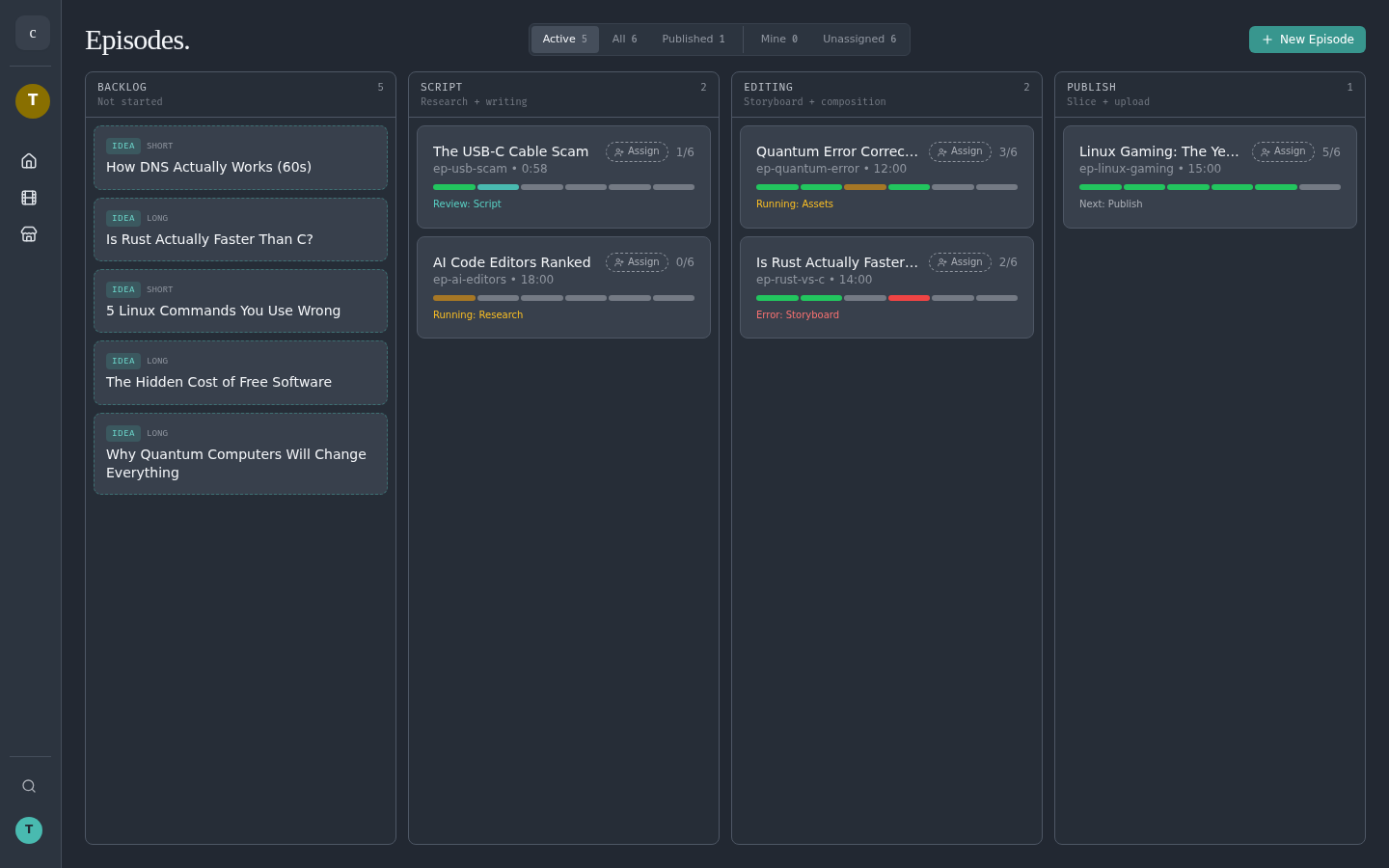
Episodes — your single backlog

Every show is an episode card moving across a kanban: Backlog → Script → Assets → Storyboard → Export → Review → Publish. AI proposals and YouTube Discover both drop ideas straight onto the board, so there's no stand-alone Ideas tab to babysit.

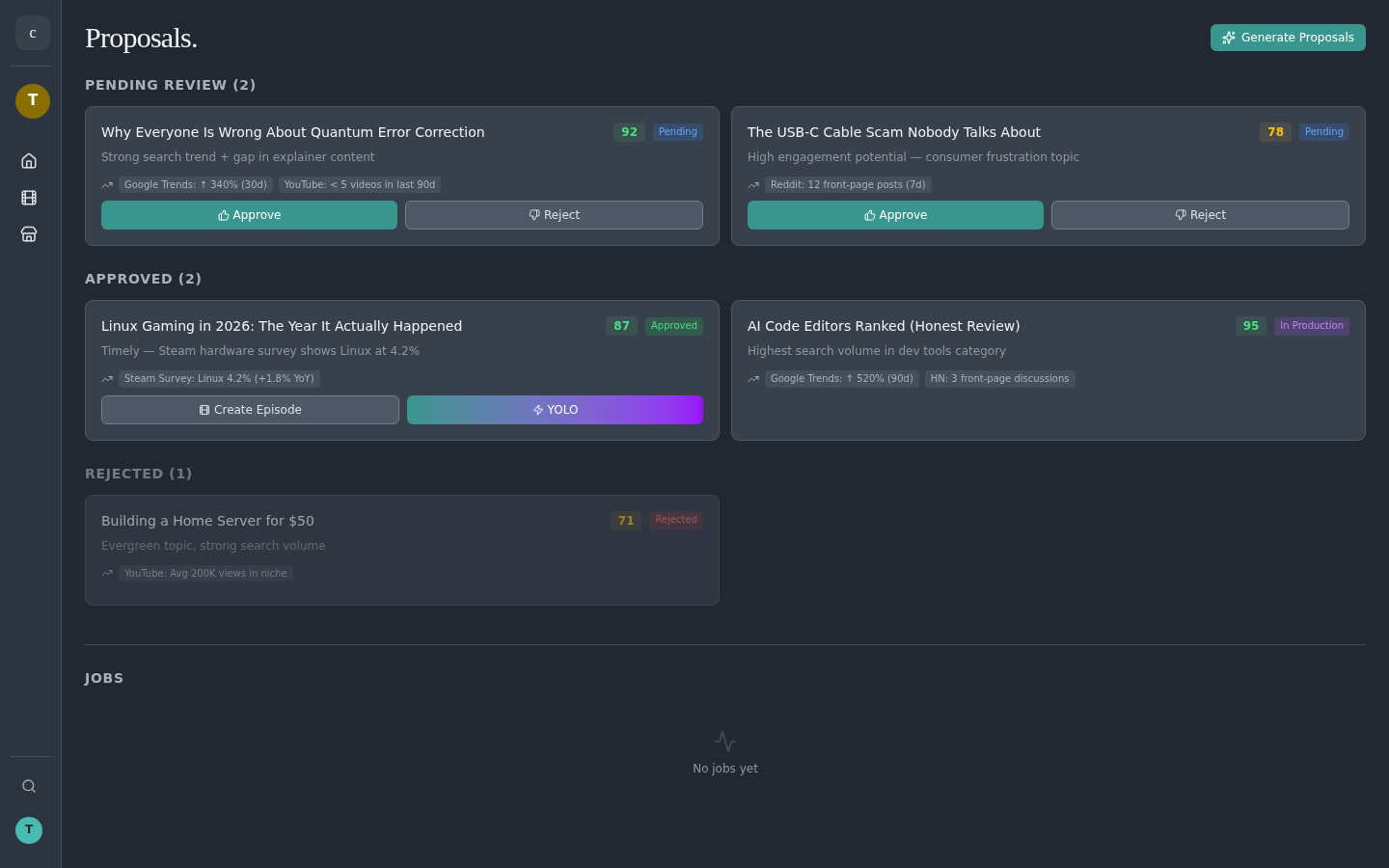
  • Proposals — AI ranks 5 content angles per channel, scored on trend, gap, alignment, and timeliness. Create Episode turns one into a backlog card with a starter script.
  • Discover → Inspire — save any YouTube video as an episode; metadata, transcript, and earnings carry through.
  • Drag forward — drop a backlog card on Script and the write → fact-check → humanize chain runs automatically in the background.
  • Per-stage Run — every pipeline row has a Run button that kicks off the stage and shows a Queued spinner immediately; the embedded Jobs panel under Proposals tracks progress live.

AI Script Editor

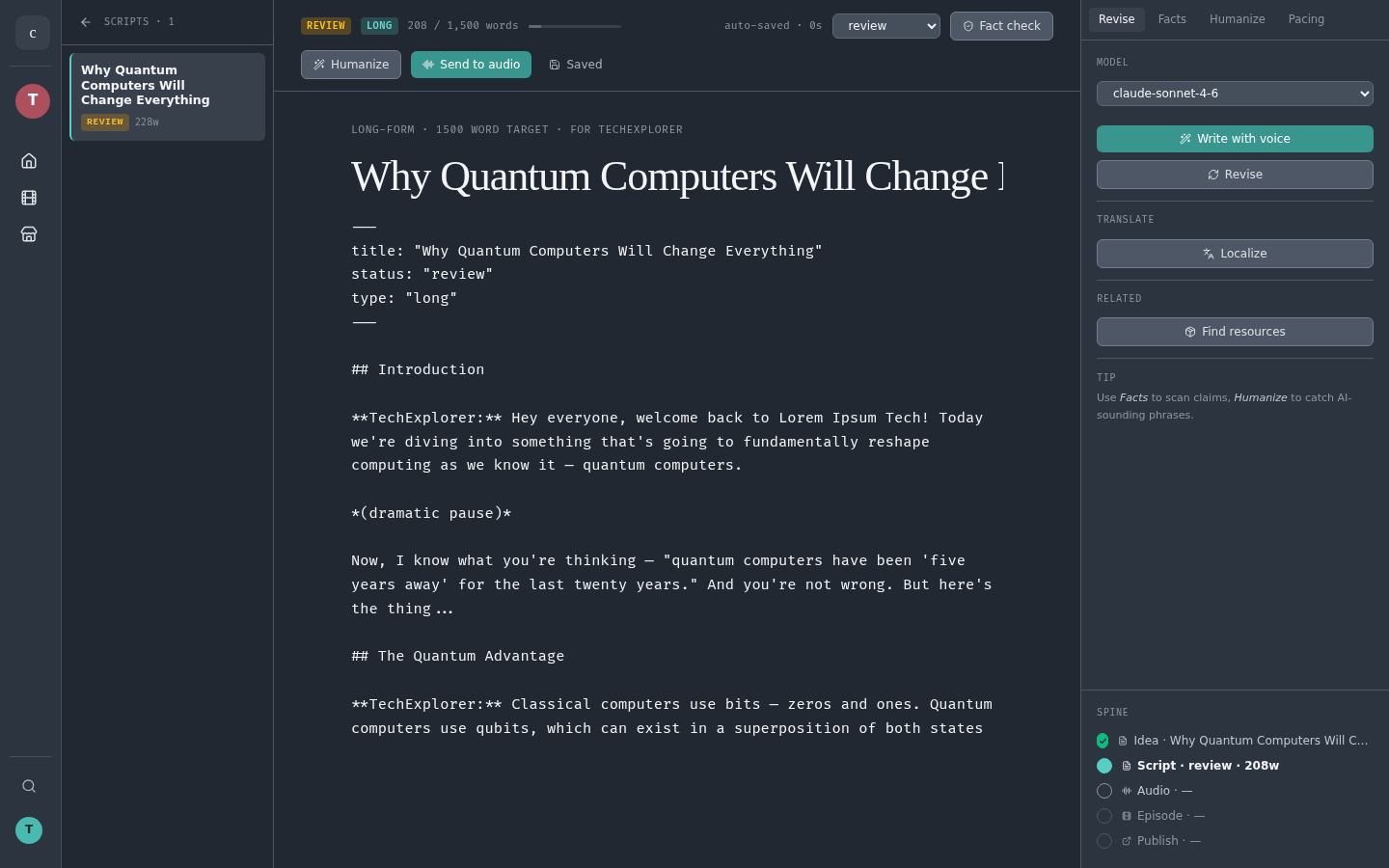
Open a script from any episode card. The editor writes, revises, fact-checks, humanizes, and translates in your channel's voice — and the back button always returns you to the episodes board.

  • Write with Voice — AI drafts in character; per-row Run ▶ kicks it off without leaving the rail.
  • Revise with custom instructions, tone, or pacing notes.
  • Fact Check — every claim labelled verified / unverified / disputed / opinion with sources.
  • Humanize — flags AI-sounding phrases and rewrites them.
  • Localize — spawn a translation child script (BCP-47 locales like es, pt-BR, ja, hi) right from the Revise tab.
  • Status workflow: Draft → Review → Final, with autosave every 30 seconds.

YouTube Discover

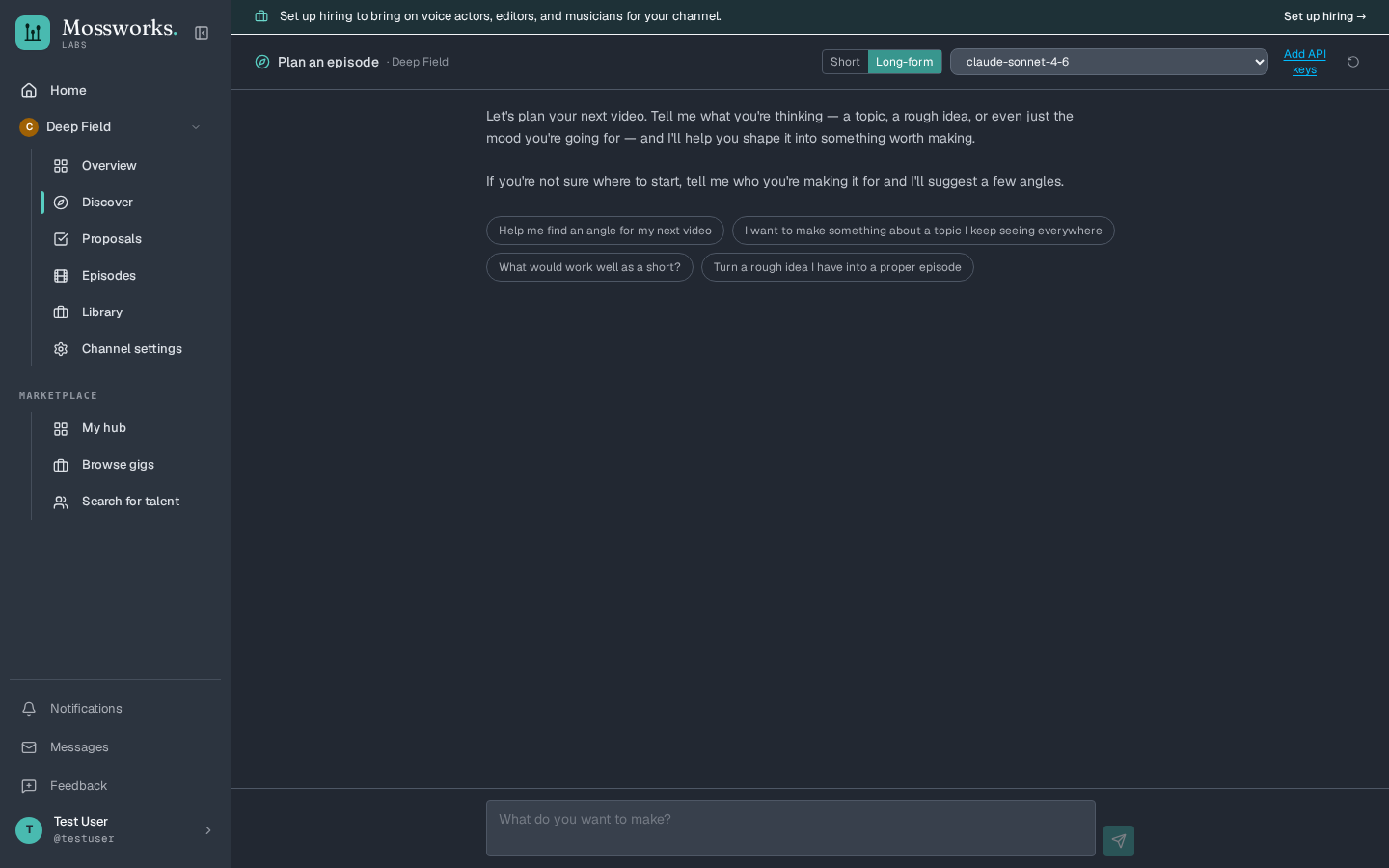
Research trending content with built-in YouTube search. No API key needed for basic search. Progressive loading fetches more results as you scroll.

  • Filter by duration, date, subscriber cap
  • Outlier detection — find viral hits (5x/10x/50x avg)
  • Channel deep dive with earnings estimates
  • Compare up to 3 channels side-by-side
  • Save any video as an idea with full metadata

Storyboard Editor

Per-scene PlanningShot & TransitionResource Attach

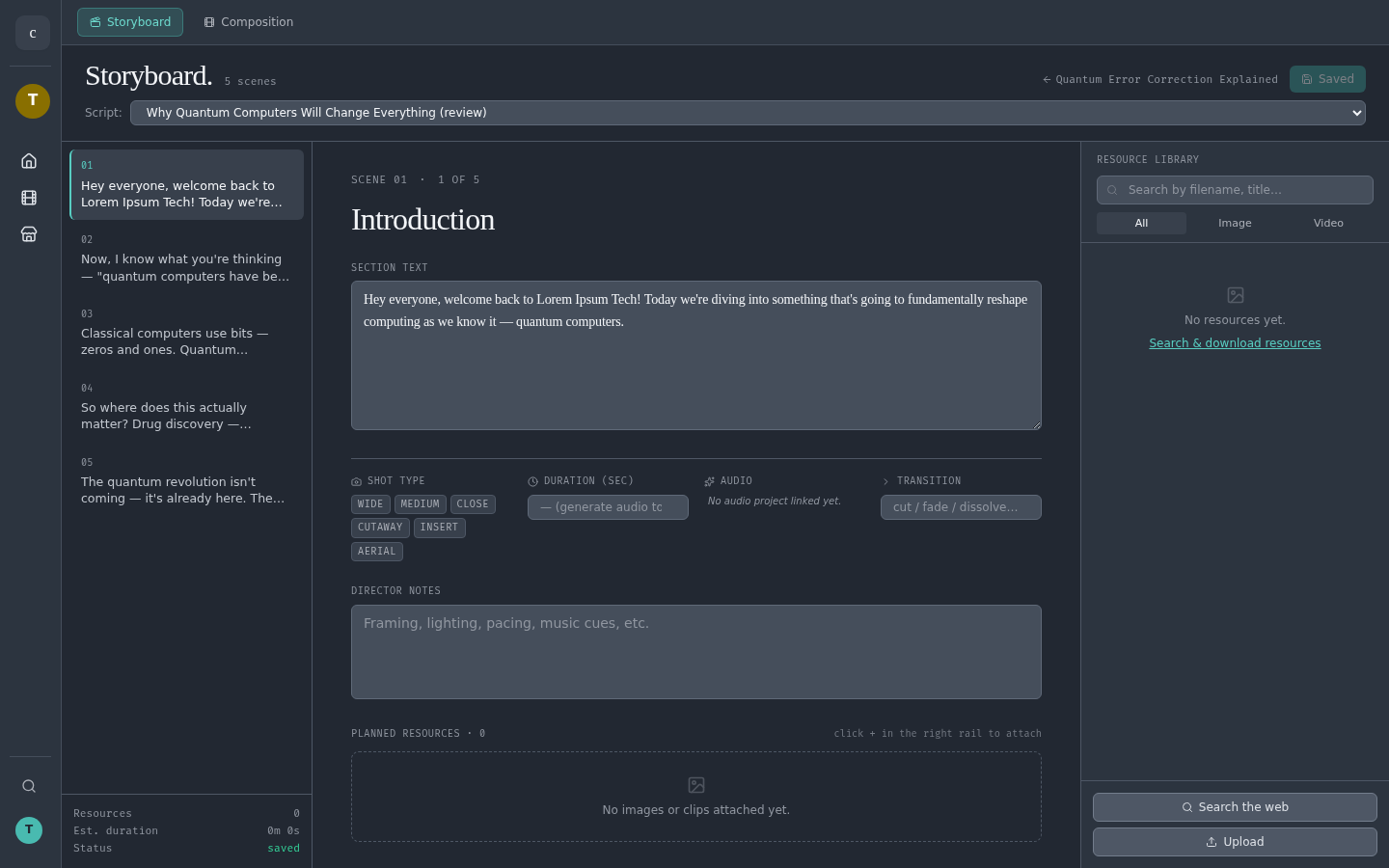
Plan every scene before composition begins. The storyboard parses your script into beats and lets you set shot type, duration, transitions, and director notes per scene — then attach the exact images, videos, or sound effects each scene needs from the resource library.

  • 3-column editor: beat list / scene detail / resource picker
  • Shot type chips (wide, medium, close, cutaway, insert, aerial)
  • Director notes — framing, lighting, pacing, music cues
  • Per-scene resource attachments feed straight into composition
  • Auto-generated status bar tallies resources, duration, save state

Video Editor

Multi-track TimelineChapter MarkersMP4 Export

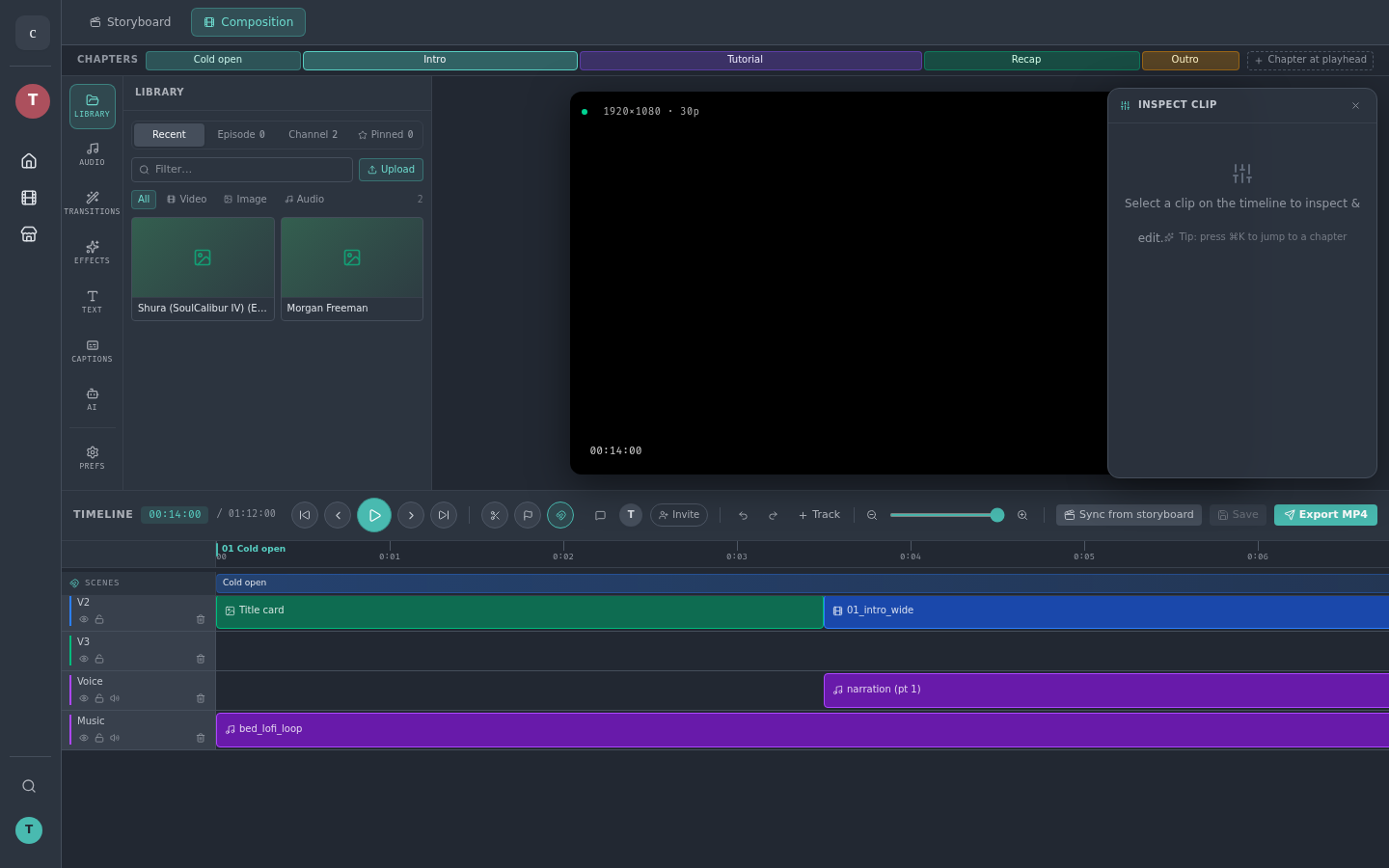
Composition is the studio's video editor — a multi-track timeline where storyboard scenes, voiceover, music beds, and B-roll come together. Inspect any clip, scrub the playhead, drop chapter markers, and render straight to MP4 without leaving the studio.

  • V/A track stack with reorderable, lockable, mutable lanes
  • Chapter strip across the top — jump to any beat with one tap
  • Library panel with Effects, Transitions, Text, Audio, Captions, AI tabs
  • Clip inspector with opacity, in/out points, source preview
  • One-click MP4 export

AI Proposals

AI-scored content proposals analyze trends, channel history, and audience signals to surface your best next video topic. Create Episode drops the winning proposal straight onto the kanban with a starter script — no Ideas tab to babysit.

  • 0-100 confidence scoring with trend signals
  • Timeliness indicators for time-sensitive topics
  • Approve to convert into production-ready ideas
  • Powered by Curator and Trend Analyst agents

Audio Production

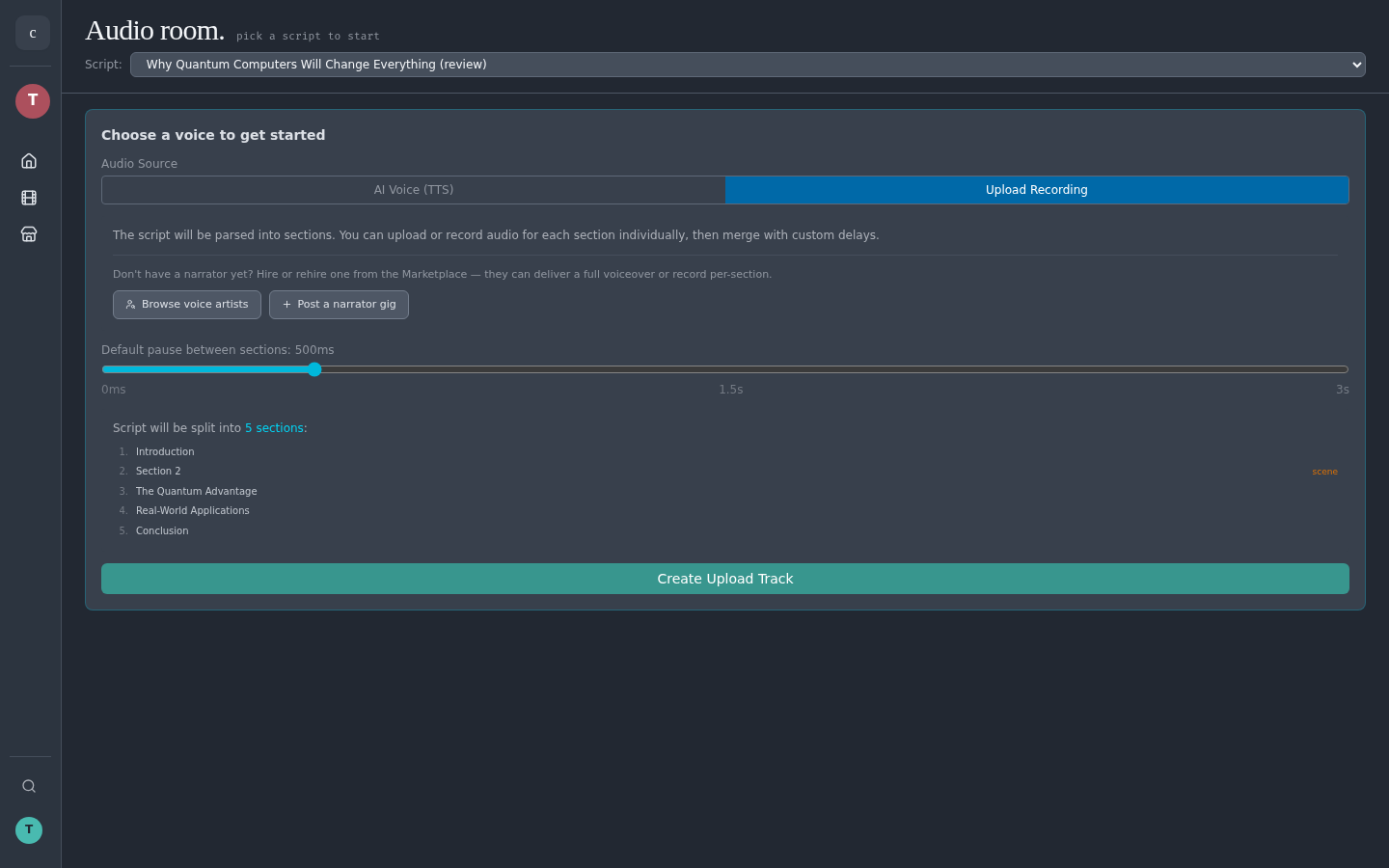
Full audio pipeline from TTS to final mix. 300+ voices with screenplay-aware section parsing. Background music layering and SFX insertion.

  • 4 TTS providers — Edge (free), ElevenLabs, OpenAI, OpenedAI Speech
  • Upload your own voiceover and split at timestamps
  • SFX sections between speech sections
  • Background music with volume, fade, and loop controls

Channel Settings & Voice

Configure your channel's personality, voice, and analytics. The AI Character Creator generates a full persona from a few questions.

  • AI Character Creator — tone, quirks, audience
  • Voice picker with 300+ voices and preview
  • Stability and similarity tuning for ElevenLabs
  • RPM presets for earnings estimates
  • Research-tool toggles for your AI workflows