
Marketplace
The Marketplace is where you hire voice actors, musicians, on-camera spokespersons, editors, and animators for your channel — and, if you're a creator, where you list yourself for hire.
It lives at marketplace.mossworks.io and is reachable from CRAFT via the craft ↗ link in the top-right of the marketplace (and vice versa).
The pricing model
The Marketplace's defining commitment: sellers pay $0 in platform fees. Buyers pay a flat 15% marketplace fee on top of the seller's quoted price, and that's it — no card fees layered in, no hidden cuts on the seller side.
Storage is the only line item creators ever see. It scales with the library they upload — enough to prevent abuse, not enough to matter in practice ($4/mo for 25 GB at the current tier). Listings, demos, messaging, contracts, payouts, and 1099 issuance are all free.
Sub-views
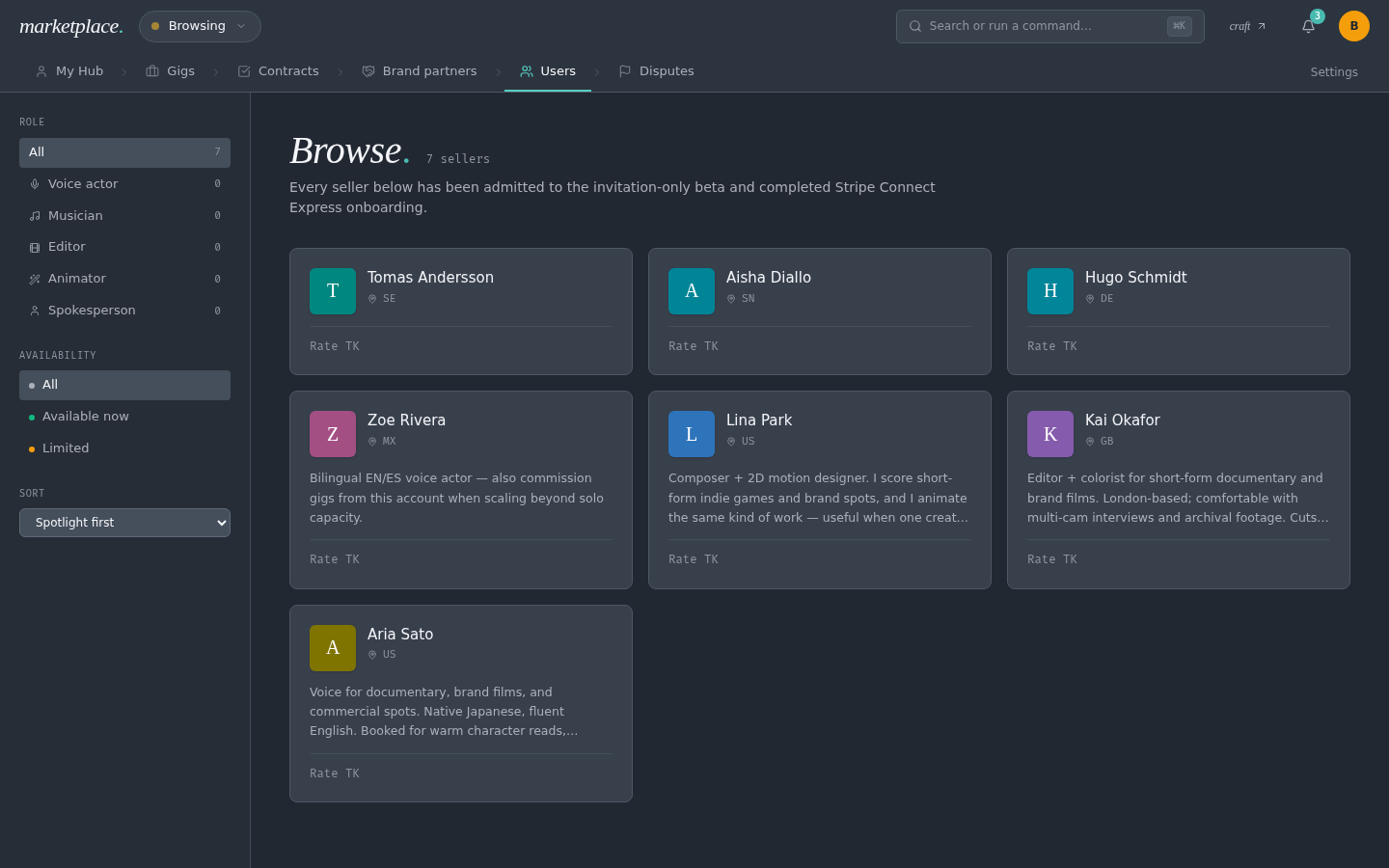
The Marketplace's top nav has exactly four tabs: Browse · Gigs · Brand partners · My Studio.
Browse
Filter rail on the left (category, style/vibe, language, turnaround, price), hero stats, a Spotlight rail of top creators (≥ 4.8★ with ≥ 25 completed jobs in any role), then a grid of everyone else. Each card shows role, rating, jobs completed, rate, and — for voice actors — a mini-waveform demo or filmstrip preview.
Categories
- Voice actors — narration, spokesperson, ad reads
- Spokespersons — on-camera hosts
- Musicians — custom tracks, ambient, orchestral, electronic
- Editors — pacing surgery, shorts-first cuts, long-form docs
- Animators — 2D motion, 3D, explainer, data-viz
Gigs
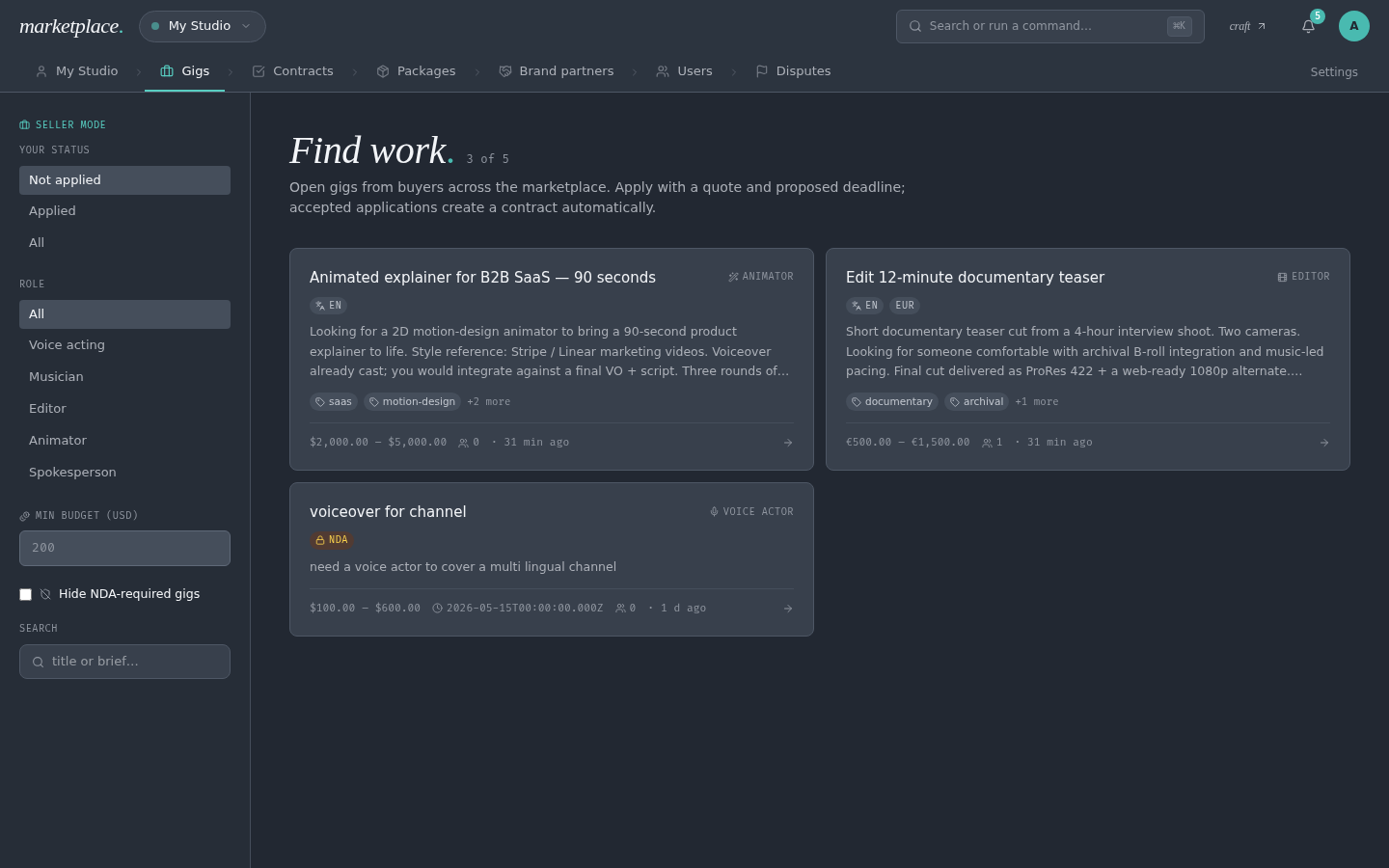
Gigs is the flip side of Browse — instead of buyers searching for creators, creators see channels posting what they need and apply with a message + quote.
For creators
- Open Gigs in the marketplace top nav.
- Filter by role, budget, deadline, status.
- Click a gig card to see the full brief (description, deliverables, tags, budget).
- Submit an application — short pitch + your quote.
The buyer sees your application under their gig. If they shortlist or accept you, the next step is the standard Hire & contract flow against your quote.
For buyers — Post a gig
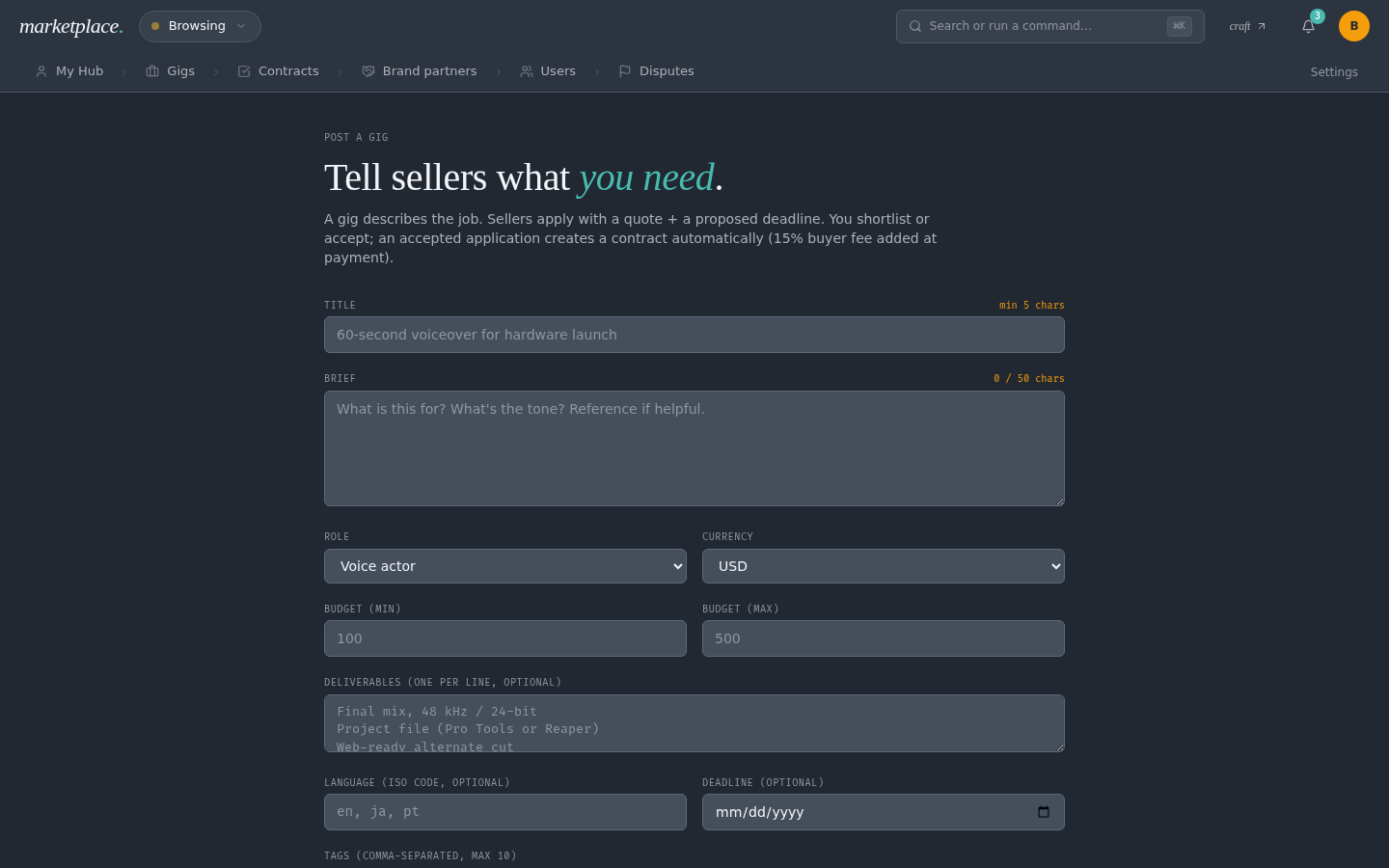
Click + Post a gig at the top of the marketplace. The form has:
- Title — the headline creators see in the list
- Role — voice / spokesperson / music / editor / animator
- Description — the brief (context, tone, samples, deadlines)
- Deliverables — file formats, revisions, timeline
- Budget min / max — displayed as a range on the card
- Deadline — free-text (e.g. "Apr 28" or "Ongoing")
- Tags — comma-separated search keywords
- Your name / channel — attribution shown on the gig
A live preview card sits to the right so you can see the cards as applicants will. Nothing is charged at post-time — funds only move through escrow once you accept a specific applicant.
Brand partners
Coming soon
Brand-partner listings, two-sided reviews, and placement matching aren't live yet. The tab today shows a coming-soon slide with placeholder partner cards so you can preview the layout.
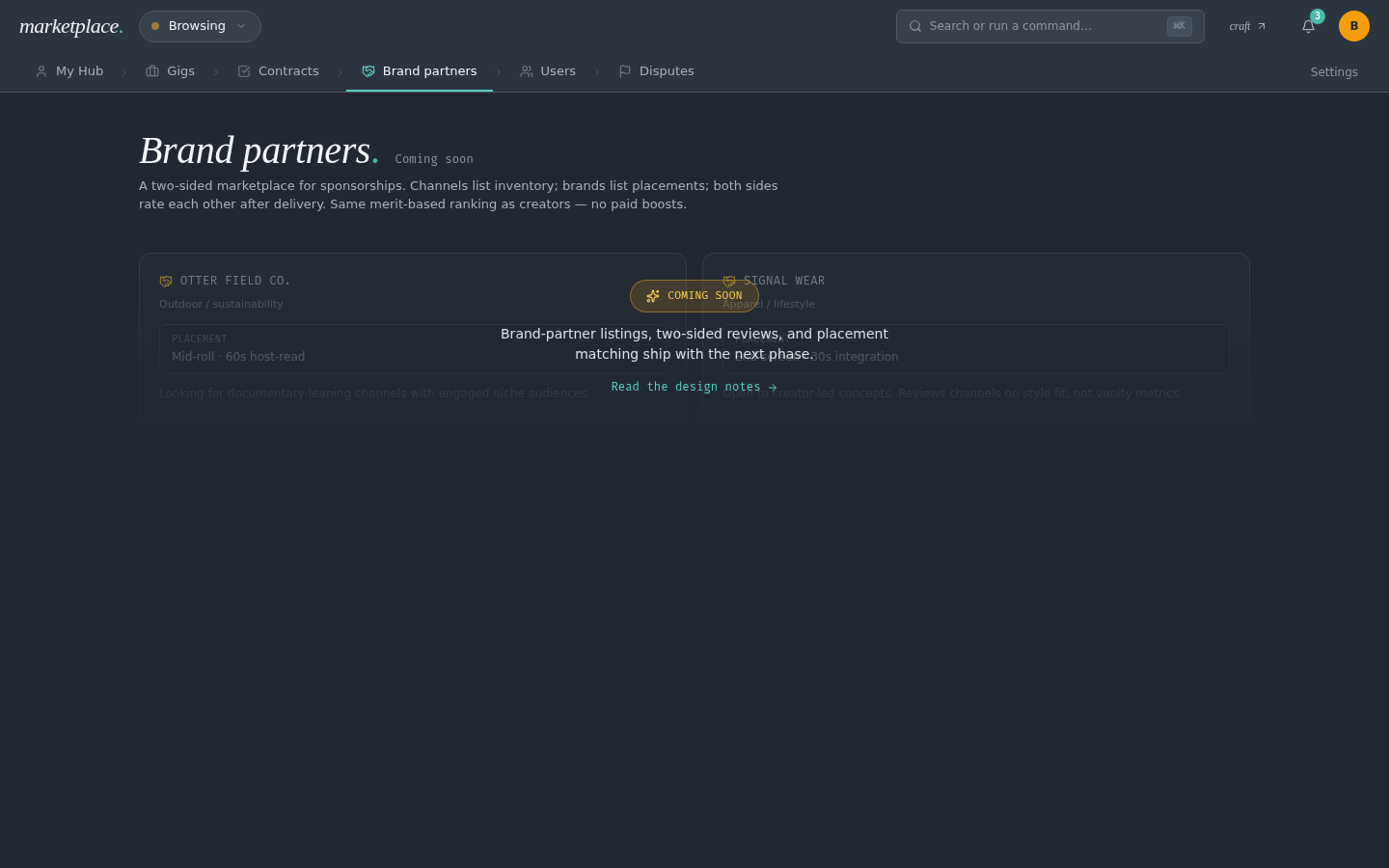
Brand partners is the brand-sponsorship side of the Marketplace — distinct from creators-for-hire. Two populations live here:
- Channels seeking sponsors — audience, niche, sample reads, CPM ranges
- Brands seeking channels — products, campaigns, deliverable expectations, budgets
Both render as partner cards with hue-themed covers, tier badges (see Gamification), active listings count, and a spotlight flag for top performers. Reviews are placement-scoped, not gig-scoped — they reference a specific placement so both sides can back-reference the engagement. Same star-rating mechanics as creator reviews, same merit-only ranking — no paid boosts.
Artist profile
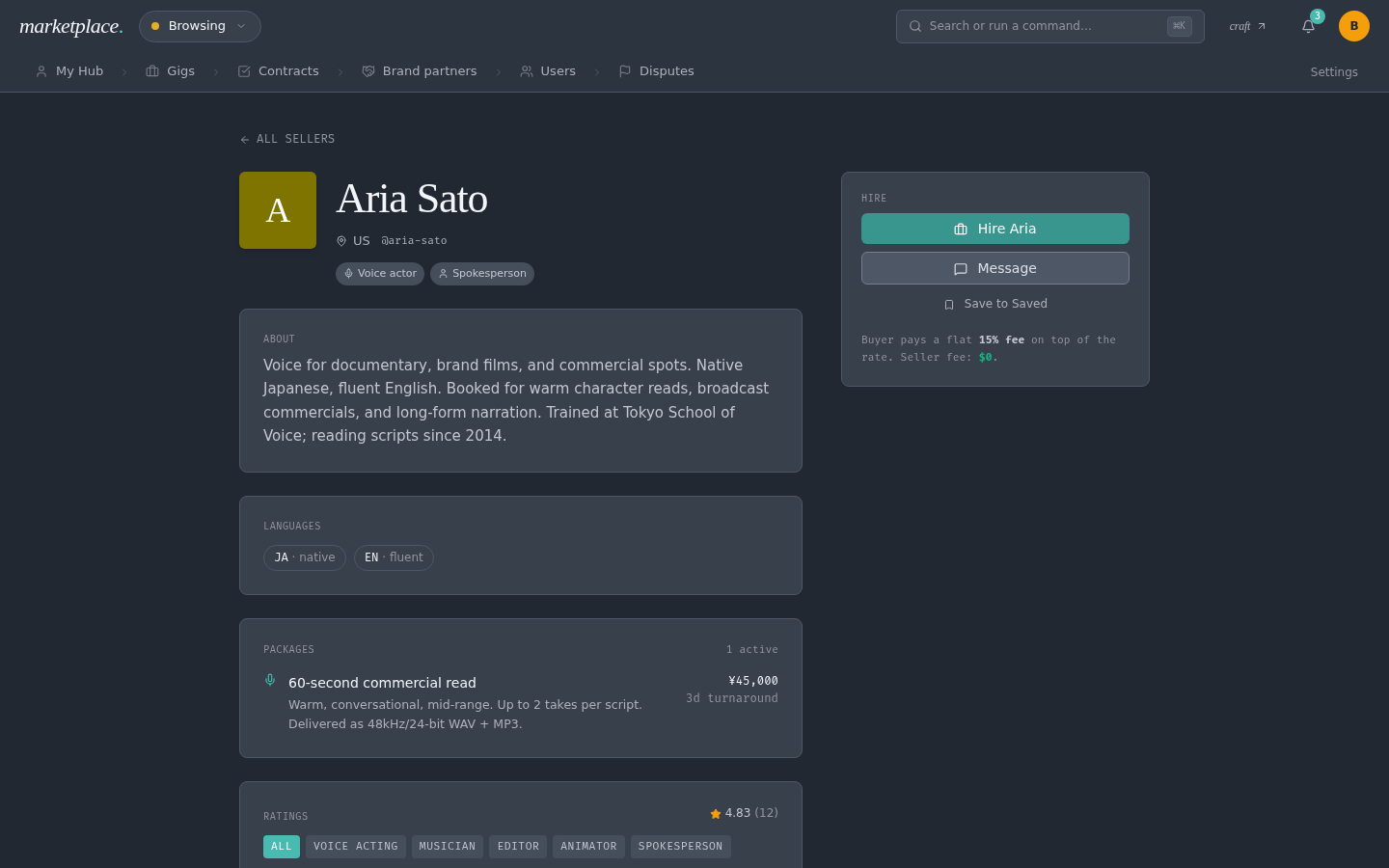
Cover image, demo reel with inline audio playback, reviews, and a sticky hire sidebar. The sidebar has:
- Headline rate
- Minimum order & typical reply time
- Package tiers (e.g. "Script under 500w · 24h · $60", "Documentary narration · 3 days · $210")
- Request this creator → (starts the hire flow)
- Send a message first (real messaging — not mocked)
My Studio
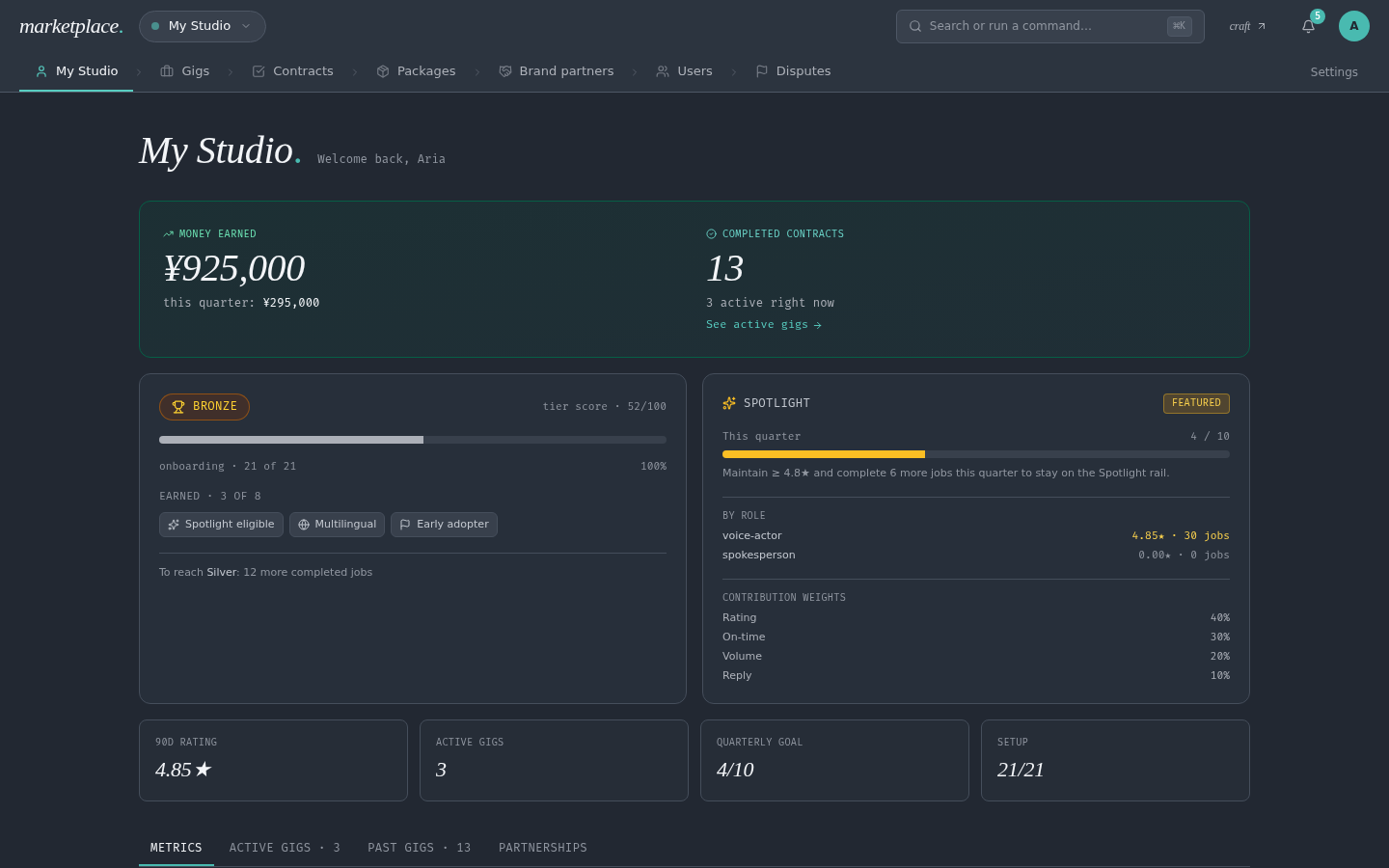
If you're a creator, this is your home. The page is built in three layers:
Hero row — a progression tile on the left (your tier badge, tier-score progress bar, top earned badges, active streak, recent achievements, onboarding completeness) + a spotlight card on the right (this-quarter job progress against the goal, per-role eligibility breakdown, contribution weights — rating 40% / on-time 30% / volume 20% / reply 10%).
Five-stat grid — 90-day rating, active gigs, completed gigs, this-quarter progress, setup completion (X/21).
Three internal tabs
- Metrics (default) — earned + locked badges with show/hide toggle, and your most recent reviews.
- Active gigs — table of in-progress contracts with status, deadline, amount. Click a row for the full contract view.
- Partnerships — placeholder for "Brands I worked with" with a "Leave review" button per partner — turns on when brand partners launches.
Quick links rail at the bottom — Profile · Demos · Packages · Availability · Stripe · Storage · Invitations · Applications · Contracts · Disputes. One-click jumps to every per-role surface without crowding the top nav.
Gamification: tiers, badges, streaks
Creators and brand partners earn visible, criterion-based recognition based on their public stats. Nothing here is pay-to-play — tiers and badges are computed from your rating, completed-job count, on-time percentage, and reply speed. The rationale for every badge is visible in the UI, so there's no mystery about what unlocked it.
Tiers
Four tiers, gated on hard thresholds — all three criteria must be met to advance:
| Tier | Rating | Completed jobs | On-time |
|---|---|---|---|
| Bronze | — | — | — |
| Silver | ≥ 4.5 | ≥ 10 | ≥ 90% |
| Gold | ≥ 4.8 | ≥ 50 | ≥ 95% |
| Platinum | ≥ 4.9 | ≥ 150 | ≥ 98% |
The profile card also shows a tier score (0–100): 40% rating · 30% volume · 20% on-time · 10% reply speed. It's a smooth signal between tier jumps so progress is legible.
Badges
Badges are current-state flags — they turn on and off as stats move. Examples: Spotlight eligible (≥ 4.8★ + ≥ 25 jobs), Fast replier (avg reply ≤ 3h), Multilingual (two or more delivery languages), Veteran (100+ completed jobs). Each badge lists its rationale on hover so there's no guesswork.
Achievements
Achievements are permanent milestones — once unlocked, they stay. Rarity tiers: common · uncommon · rare · legendary. Examples: First gig delivered, First repeat client, Five-gig streak, Spotlighted 3 weeks, 100 gigs completed. Unlocks show the date in the profile's achievements strip.
Streaks
Streaks are consecutive counters that reset when broken but remain visible as historical markers. Examples: On-time streak · 47 days, Five-star streak · 6 deliveries, Reply-time streak · 21 days. An inactive streak renders muted to show the last peak.
Next-tier hint
Every profile shows what's still needed for the next tier — e.g. Gold → Platinum: rating ≥ 4.9, +50 completed jobs, on-time ≥ 98%. No gamified carrot; just a concrete list so creators know exactly what moves the needle.
Seller onboarding
Becoming a seller is a 21-item checklist split across three sections — Identity, Profile, and Stripe. The wizard tracks every item; your seller listing turns on automatically when the full checklist passes, and three Stripe-side items (age, legal name, tax form) short-circuit once Stripe completes verification.
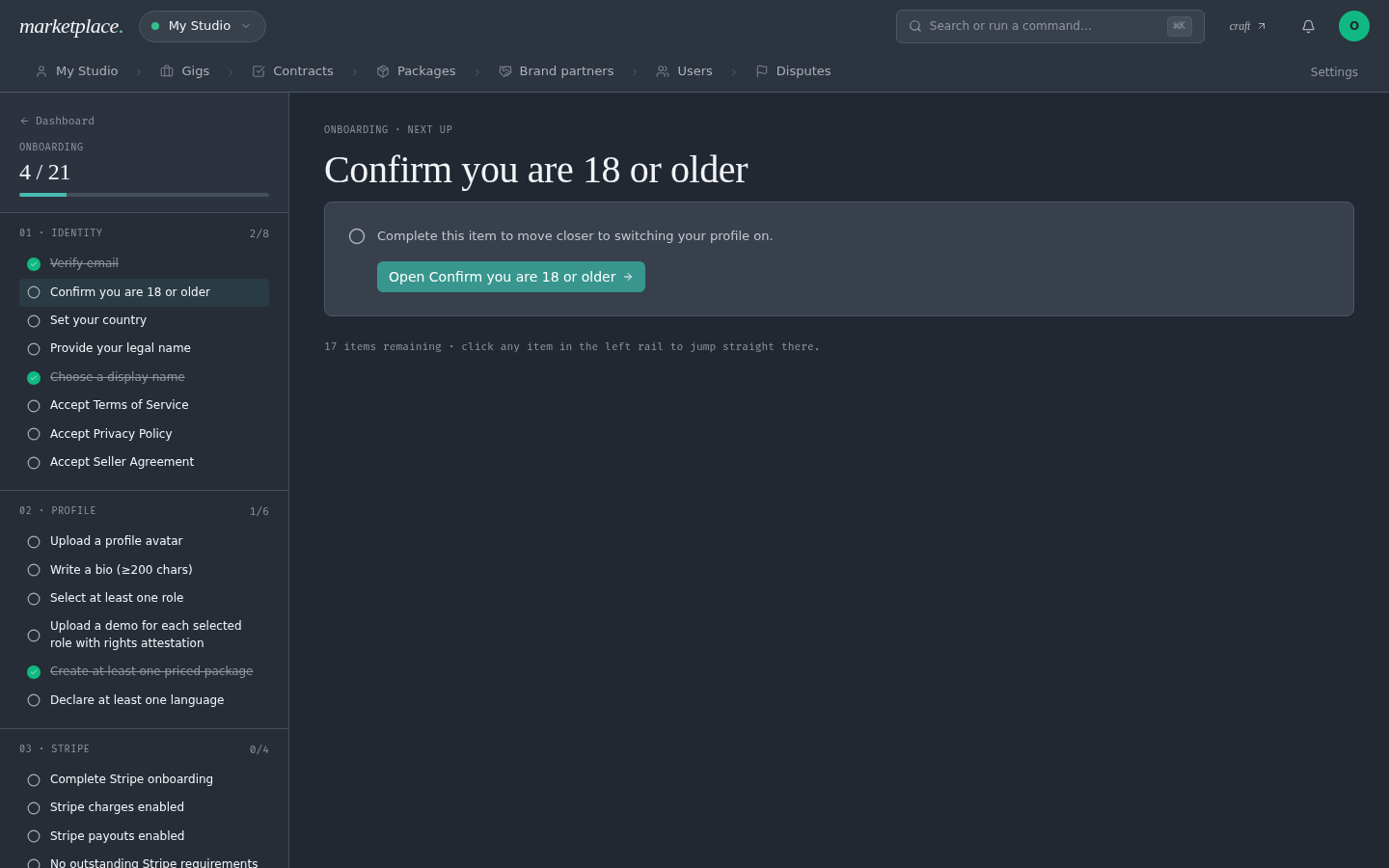
The left rail shows progress and lets you jump to any item; the main pane walks one step at a time with a single "Open …" CTA so there's no ambiguity about what's next. Strikethrough indicates completed items.
Stripe handoff
Government-ID verification, tax forms (W-8BEN / W-9), bank-account verification, and 1099 issuance all live in Stripe — we never see any of it, only the verification status.
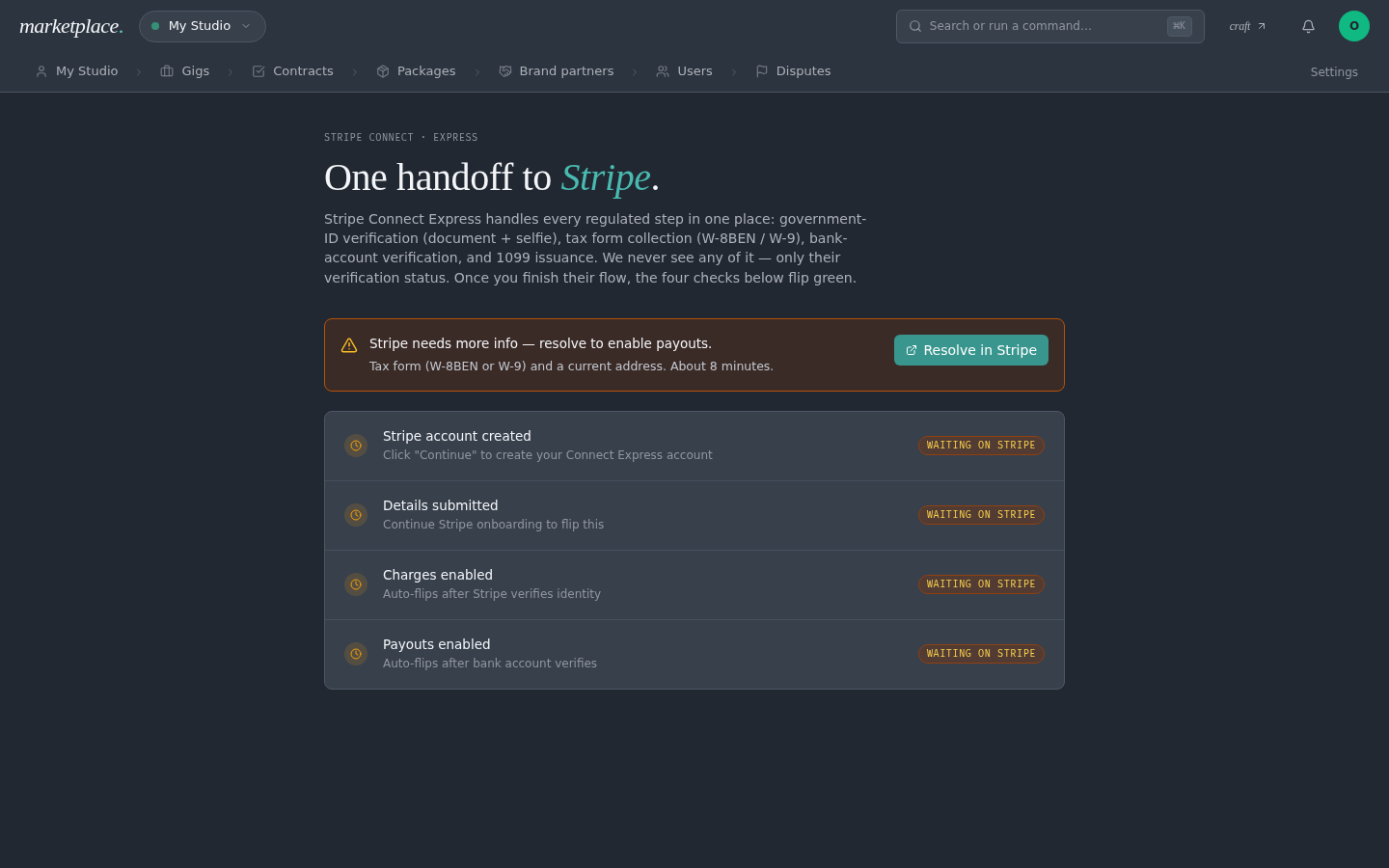
The four checks — Stripe account created, details submitted, charges enabled, payouts enabled — flip green as Stripe completes each step. The Resolve in Stripe button opens Stripe's hosted onboarding flow in a new tab; typical completion time is around 8 minutes for a first-time seller.
Hire & contract
A 4-step stepper: Brief → Scope & schedule → Contract → Pay & start. The contract is CRAFT-standard with fields for parties, deliverable, format, revisions, delivery date, usage rights, and credit line. The payment summary breaks out:
{words} × {rate}→ creator receivesMarketplace fee (15%)- You pay total
Funds are held in escrow until you accept the deliverable. Single-payment contracts hold one charge for the whole agreed price; milestone contracts hold each milestone independently and release them as you accept each one. Refunds, cancels, and dispute handling are all available from the contract view.